
Ready for a world built alongside AI.
The Infinity Lab gives your students an AI coach that guides instead of answers. They use it to tackle real-world challenges, inside a safe environment your school manages.
Coaches, not answers.
Our AI asks the next good question. It's designed to leave the thinking to your students.
Real projects, real portfolios.
Students build things that matter and keep the evidence of what they made.
Safe by design.
Every session runs in an environment your school manages, with guardrails and visibility for staff.
Learn
Short, interactive courses build understanding through hands-on practice, not passive watching.
Challenge
Students apply what they learn to real-world projects, such as launching a business idea.
Share
Students publish their work, including the attempts that didn't work, and learn from how their peers approached the same problem.
The Play
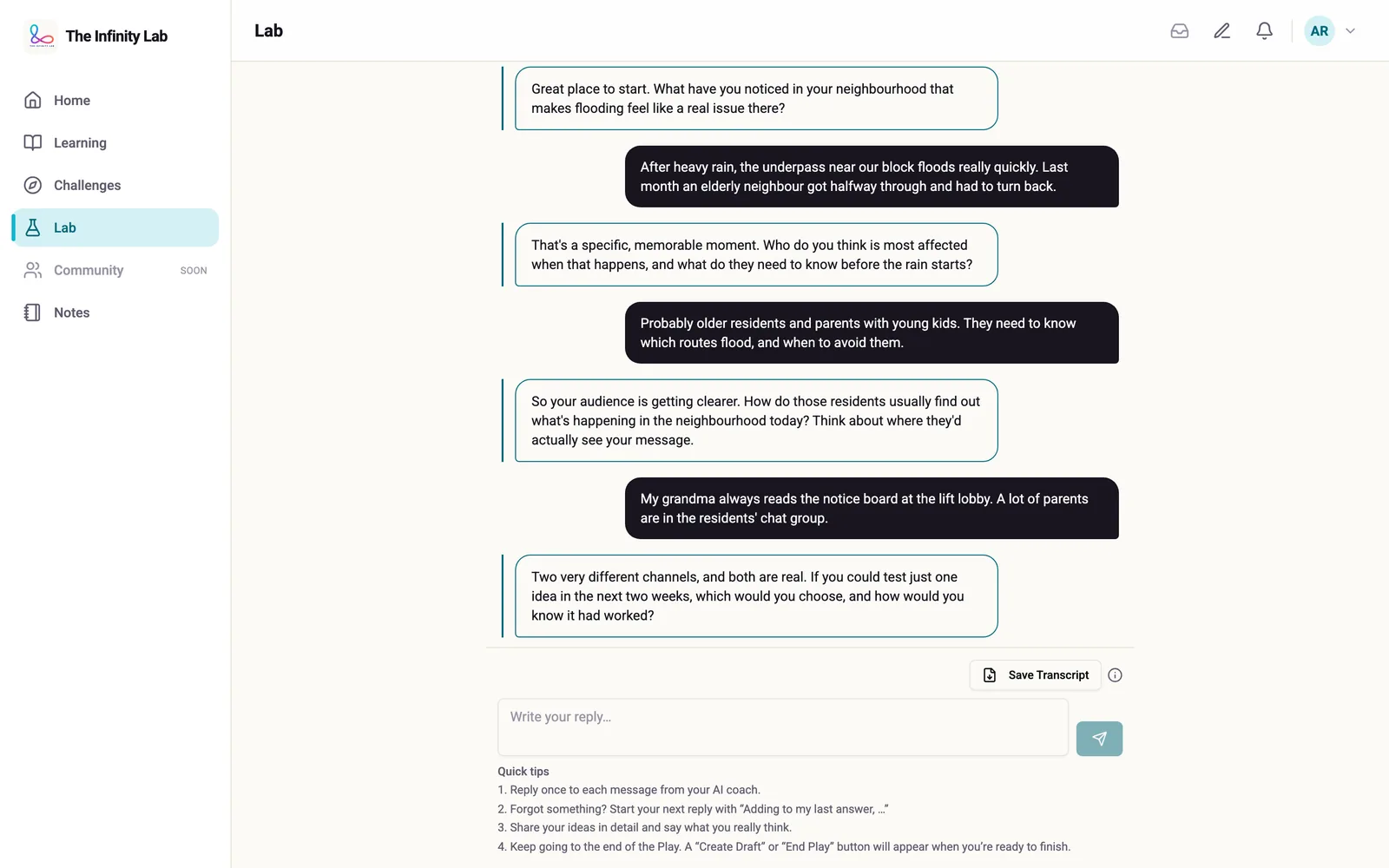
A coaching session, step by step
The Play is a guided AI conversation that coaches a student through a task instead of completing it for them. Our AI is designed not to hand over a substantive answer on the first pass. Students work through several rounds of their own thinking first, so their judgement and ideas show up in everything they build.
Visibility for staff
What teachers see
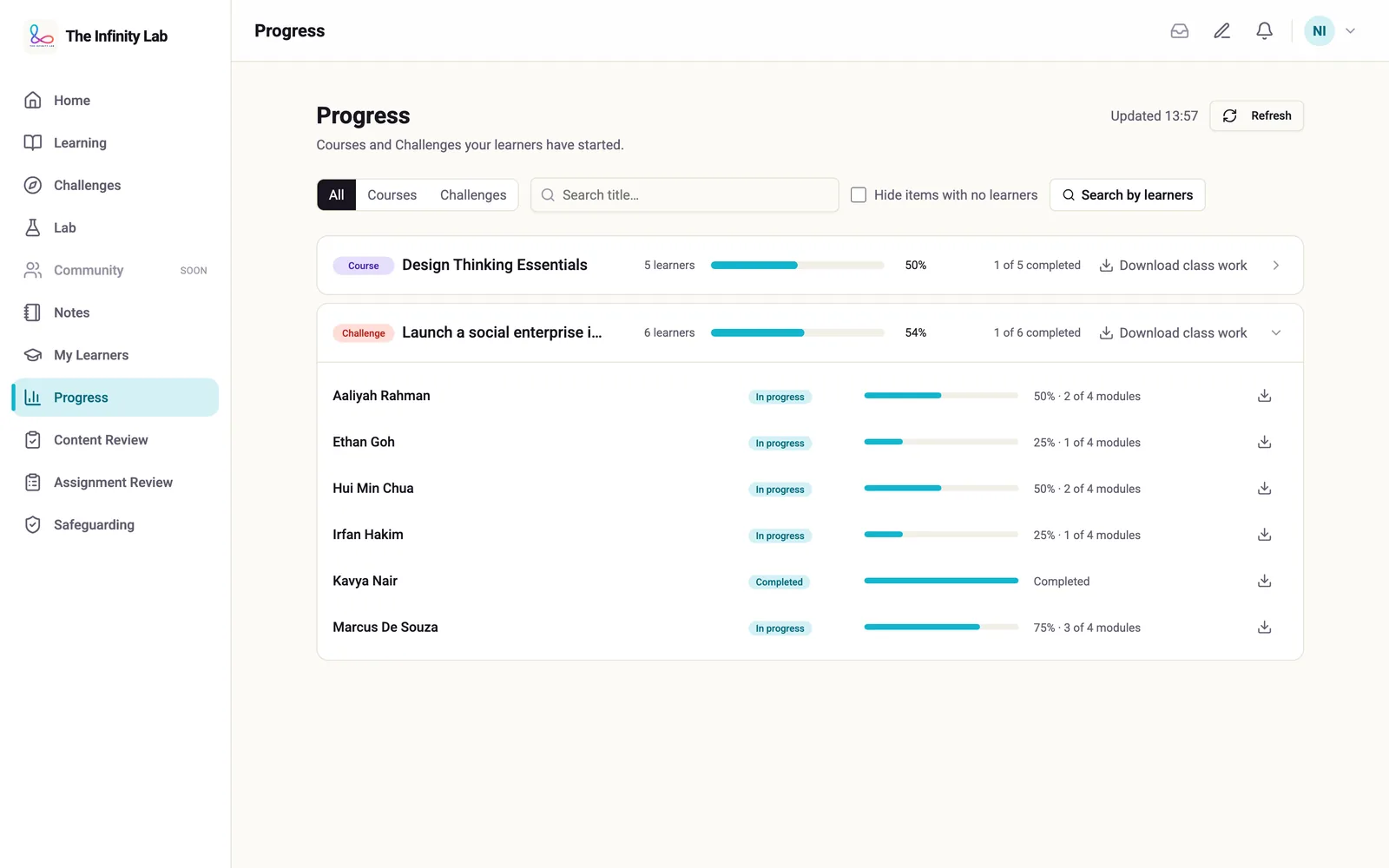
Progress
Teachers see the progress and work of the students assigned to them. School administrators see all students in their school.
Saved conversations
Teachers see the AI conversations a student has chosen to save. Students are told this, and can delete a saved conversation.
Safeguarding alerts
If the content filter detects signs of self-harm or suicide risk, the session is paused. The school's safeguarding contact is emailed, and the student's teachers and administrators get an alert; neither includes what the student wrote.
Built by people who know schools and AI
More than a decade building and scaling international education businesses.
Featured by NTU Nanyang Business School
A profile of our founder in its alumni series.
How the platform works today. Where something isn't built yet, we say so.
Questions school leaders ask us.
How do you stop the AI giving harmful content, or just doing the homework?
Every student message and every AI reply passes through a content filter, and anything flagged is blocked. The coach is instructed to guide students rather than hand over answers. That second part is an instruction to the AI, not a technical block, so it isn't guaranteed.
Which AI do you use, and where does it run?
Anthropic's Claude, through Amazon Bedrock, limited to AWS's EU regions. Voice features use AWS in London. We don't use OpenAI or Google AI models. The AI isn't given the student's name.
What data do you collect about students?
Their name, school email address, school and age band; a parent's or guardian's email address, for consent; their work; and their conversations with the AI coach. We don't collect date of birth, gender, home address or profile photos, and we don't keep voice recordings.